Skip to content

Know where.
Know how hard.

Plant that moves your business deserves more than a pin on a map. See where it is, how it’s working and when it needs attention.

EX-014 · Riverside site
Live locationEngine hoursUtilisationService planning

Hours running.
Hours working.

A machine on site isn’t always a machine at work. See engine hours alongside utilisation to understand the difference.

EX-014 · Weekly utilisation
WorkingIdleHours per day
Monday · 7.0 engine hours5.6h working / 1.4h idle

Make the next allocation
an informed one.

Compare working time and idle time across the week. Find equipment that could be put to better use before bringing another machine onto site.

Keep engine-hour records with each asset, so the next service follows the work it has actually done.

Available readings depend on the machine, connected hardware and installation. We’ll help confirm your setup.

Your site has boundaries.
Your visibility shouldn’t.

Set a geofence around a site or yard. Know when plant arrives, leaves or moves outside the hours you expect.

Site geofences

Keep location and site allocation in the same view.

Movement alerts

Bring unexpected activity to your attention so you can investigate.

Riverside site
EX-014 · Inside siteSite geofence
Asset left Riverside siteTrailer TR-008 · 18:42

Ahead of the service.
Across the costs.

Use engine-hour intervals to plan maintenance. Keep the work, the history and the cost attached to the machine.

See what’s approaching, review what’s been done and understand the spend on each asset. A clearer record for the people keeping your plant working.

EX-014 · Service record
Next scheduled service38engine hours to go

1,962 recorded hours / 2,000-hour service

Hydraulic service12 May · Completed
£420
Filter replacement18 March · Completed
£145
Recorded costs shown£565

Beyond the engine.

Trailers, attachments and the kit that travels between jobs. Bring your unpowered assets into the tracking picture too.

TRX320

TRX320

Battery powered

Tracking for assets without a power supply. The TRX320 suits trailers, containers and unpowered construction equipment, with scheduled reports that keep location in view.

Location
See where your asset is without needing a nearby phone.
Power
A replaceable, non-rechargeable battery pack. No permanent vehicle power supply required.
Movement
Receive location reports as equipment moves between sites and storage.
Enclosure
IP68 rated casing, 78 × 63 × 28 mm. Choose mounting suited to the equipment and exposure.

We’ll check 2G coverage for your sites and help balance battery life with how often you need location updates.

Discuss TRX320 for your assets
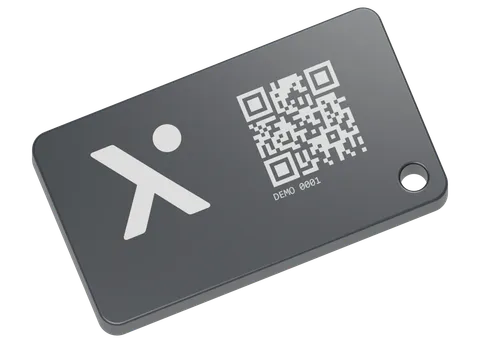
BLE asset tag with a QR code
TraaX BLE asset tag

Small kit. Connected.

BLE asset tags

Use BLE tags and the TraaX mobile app to keep track of tools and smaller equipment. The same platform, focused on the assets your team needs.

Nearby kit
Scan for tagged equipment around you with the TraaX app.
Use cases
Tools, attachments and smaller equipment that move with your team.
Power
Five-year battery life with a replaceable battery. Actual life depends on use and conditions.
Location
An asset sighting records where the tag was detected. Review that context alongside your wider tracking.

BLE tags show where equipment was last detected by a nearby phone or gateway. For location reports without a nearby reader, choose a GPS tracker.

Explore BLE asset tracking

Track vehicles, plant and assets together with TraaX.

Put your plant in the picture.

See location, utilisation and service history together. Explore TraaX with our team.